Automated WhatsApp Booking System for Clinics.
Learn how an automated WhatsApp booking system simplifies appointment scheduling for clinics with instant confirmations, reminders, and easy rescheduling. Discover how automation reduces patient no-shows, improves staff efficiency, and enhances the overall patient experience while streamlining clinic operations.
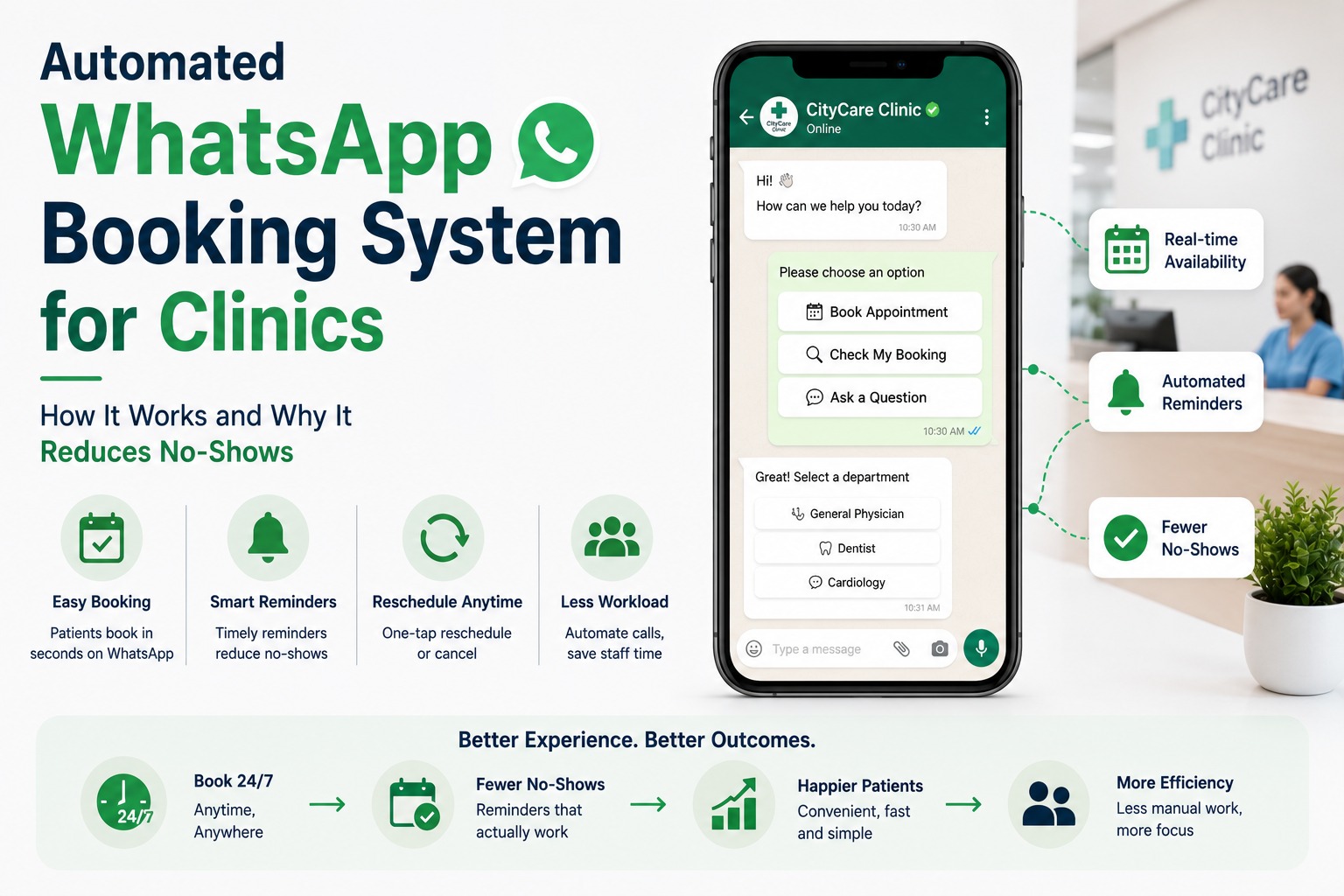
Automated WhatsApp Booking System for Clinics: How It Works and Why It Reduces No-Shows.
Front desk staff at most clinics spend a surprising share of their day on a task that adds almost no clinical value: answering the phone to book, confirm, or reschedule appointments. Multiply that across dozens of patients a day, and it's easy to see why so many clinics are moving appointment booking onto WhatsApp not as a gimmick, but because it removes a genuine operational bottleneck.
This article walks through how an automated WhatsApp booking system actually works for a clinic, why it measurably reduces no-shows, and what to consider before setting one up.
Why Clinics Are Moving Booking to WhatsApp
Phone-based booking has three structural problems that WhatsApp automation solves directly. First, it only works during clinic hours a patient who wants to book at 9pm has to remember to call the next morning, and often doesn't. Second, it consumes staff time that could go toward patients physically at the clinic. Third, manual booking is error-prone double bookings, missed callbacks, and appointments scribbled into the wrong slot are common even in well-run practices.
An automated WhatsApp booking flow is available around the clock, doesn't require the patient to install a new app or create an account, and pulls directly from the clinic's real calendar so double-booking becomes structurally difficult rather than something staff have to manually avoid.
How the Booking Flow Actually Works
At a technical level, this runs on the official WhatsApp Business API not the free WhatsApp Business App, which can't support the automation, calendar sync, or multi-agent handling a clinic needs. A typical flow looks like this:
| Step |
What Happens |
Who's Involved |
| 1. Patient initiates |
Patient messages the clinic's
WhatsApp number or taps a Click-to-WhatsApp ad/link |
Patient |
| 2. Bot greets and asks intent |
Chatbot presents options: book
appointment, check existing booking, ask a question |
Chatbot |
| 3. Doctor/service selection |
Patient selects doctor,
department, or service via quick-reply buttons |
Chatbot + Patient |
| 4. Slot selection |
Bot pulls real-time
availability from the clinic's calendar and shows open slots |
Chatbot + Calendar system |
| 5. Confirmation |
Booking is confirmed instantly
with a summary message; front desk sees it in the shared inbox |
Chatbot + Front desk |
| 6. Reminders |
Automated reminders sent ahead
of the appointment, with a reschedule/cancel option |
Automation |
The entire sequence, from the patient's first message to a confirmed slot, typically takes under two minutes compared to a phone call that often involves hold time, a callback, or a missed call altogether.
Why This Reduces No-Shows Specifically
No-shows aren't usually intentional they're mostly a memory problem. A patient books an appointment three weeks out, life gets busy, and the appointment slips their mind until it's already missed. Automated reminders solve exactly this failure point, sent at meaningful intervals typically a few days before, then again the day before or the morning of with a simple option to confirm, reschedule, or cancel directly inside the chat.
The reschedule option matters as much as the reminder itself. A patient who genuinely can't make it but has no easy way to reschedule often just doesn't show up and doesn't call either. Giving them a one-tap way to move the appointment converts what would have been a no-show into a rebooking which keeps the slot usable for the clinic and keeps the patient in the funnel instead of dropping off entirely.
Beyond Booking: What Else the Same System Handles
Pre-Visit Instructions
For appointments that need preparation fasting before a blood test, arriving early for paperwork the same automated message thread can deliver instructions automatically, reducing the number of patients who arrive unprepared.
Post-Visit Follow-Up
A short check-in message after a procedure or consultation, and where relevant, a prompt to book a follow-up visit, keeps patients engaged without staff needing to track and initiate each one manually.
Report and Prescription
Delivery For diagnostic centers and clinics that generate reports, the same number can be used to notify a patient the moment a report is ready, rather than requiring a separate call or in-person pickup.
What a Clinic Needs Before Setting This Up
1. A WhatsApp Business API connection through an authorized Business Solution Provider (the free Business App can't support this kind of automation)
2. A connected calendar or clinic management system so the bot can check real availability instead of relying on manually updated slots.
3. Clearly defined services and doctor-wise scheduling rules, so the bot presents the right options to the right patients
4. A shared inbox for front-desk staff, so a human can step in immediately if a patient's request falls outside what the bot can handle
5. A patient consent and data-handling process appropriate for healthcare communication, since patient information requires careful access control.
A Typical Scenario
Consider a multi-doctor clinic that previously relied entirely on phone bookings, with two front-desk staff spending a significant part of each day on scheduling calls. After moving booking to an automated WhatsApp flow, patients book directly through chat, with the front desk stepping in only for unusual requests like a patient wanting a same-day emergency slot the bot can't confidently allocate on its own.
The clinic's front-desk team ends up spending far less time on routine scheduling calls and far more time on patients physically at the front desk. Reminders sent two days and then a few hours before each appointment give patients an easy way to reschedule instead of quietly missing the visit which is where most of the no-show reduction actually comes from, rather than the booking convenience alone.
Frequently Asked Questions
How does an automated WhatsApp booking system reduce no-shows?
Mainly through timely reminders paired with an easy reschedule option. Most no-shows happen because a patient forgets, not because they've decided not to come. A reminder sent close to the appointment, with a one-tap way to reschedule instead of just cancelling silently, converts many would-be no-shows into rebookings instead.
Can patients book appointments without downloading a separate app?
Yes. The entire booking flow happens inside WhatsApp, which most patients already have installed. There's no new app to download or account to create, which is a major reason adoption tends to be higher than with a standalone booking app.
Does this work with the free WhatsApp Business App?
No. The free Business App doesn't support the chatbot logic, real-time calendar integration, or multi-agent handling this requires. It needs the official WhatsApp Business API, accessed through an authorized Business Solution Provider.
Can the system handle multiple doctors and departments?
Yes. A properly configured flow lets patients choose a department or doctor first, then shows only the relevant availability, which keeps the process accurate even for larger, multi-doctor practices.
What happens if the bot can't handle a patient's request?
A well-designed flow includes escalation rules that hand the conversation to a human staff member through a shared inbox, along with the full conversation history, so the patient doesn't have to repeat themselves.
Is patient data safe when using WhatsApp for bookings?
Handled correctly, yes but it requires deliberate setup, including access controls on who can view conversations and clear internal policies on what patient information is shared over chat. Clinics should discuss specific data-handling requirements with their provider before going live.
Can patients reschedule or cancel their own appointments?
Yes, this is typically built directly into the reminder message, letting patients reschedule or cancel with a tap rather than needing to call the clinic, which is one of the biggest contributors to reduced no-shows.
How long does it take to set up a WhatsApp booking system for a clinic?
This depends on how the clinic's existing calendar or management software connects to the system, but many clinics can have a basic booking flow live within a couple of weeks once WhatsApp Business API access and template approvals are in place.
Does this replace front-desk staff?
No, it removes the repetitive part of their workload routine scheduling calls so staff can focus on patients on-site and on requests that genuinely need human judgment, rather than replacing the front-desk role entirely.
Can this system send reports or prescriptions to patients as well?
Yes, many clinics extend the same WhatsApp number beyond booking to notify patients when a report or prescription is ready, reducing the need for a separate phone call or in-person pickup.
See It Set Up for Your Clinic
SyncWABA's Flow Builder and shared inbox are built to handle exactly this kind of booking automation, connected to your existing calendar and clinic workflow rather than replacing it.
Book a demo to see a clinic booking flow configured live, or start a free trial to begin setting one up.
Tags:
Ready to Get Started with WhatsApp Business API?
Join 1,000+ businesses using SyncWABA to grow with WhatsApp. Start free today!