WhatsApp Marketing Messages: Templates That Actually Convert
WhatsApp marketing message templates are pre-approved formats required by Meta to send promotional broadcasts, product launches, and re-engagement campaigns.
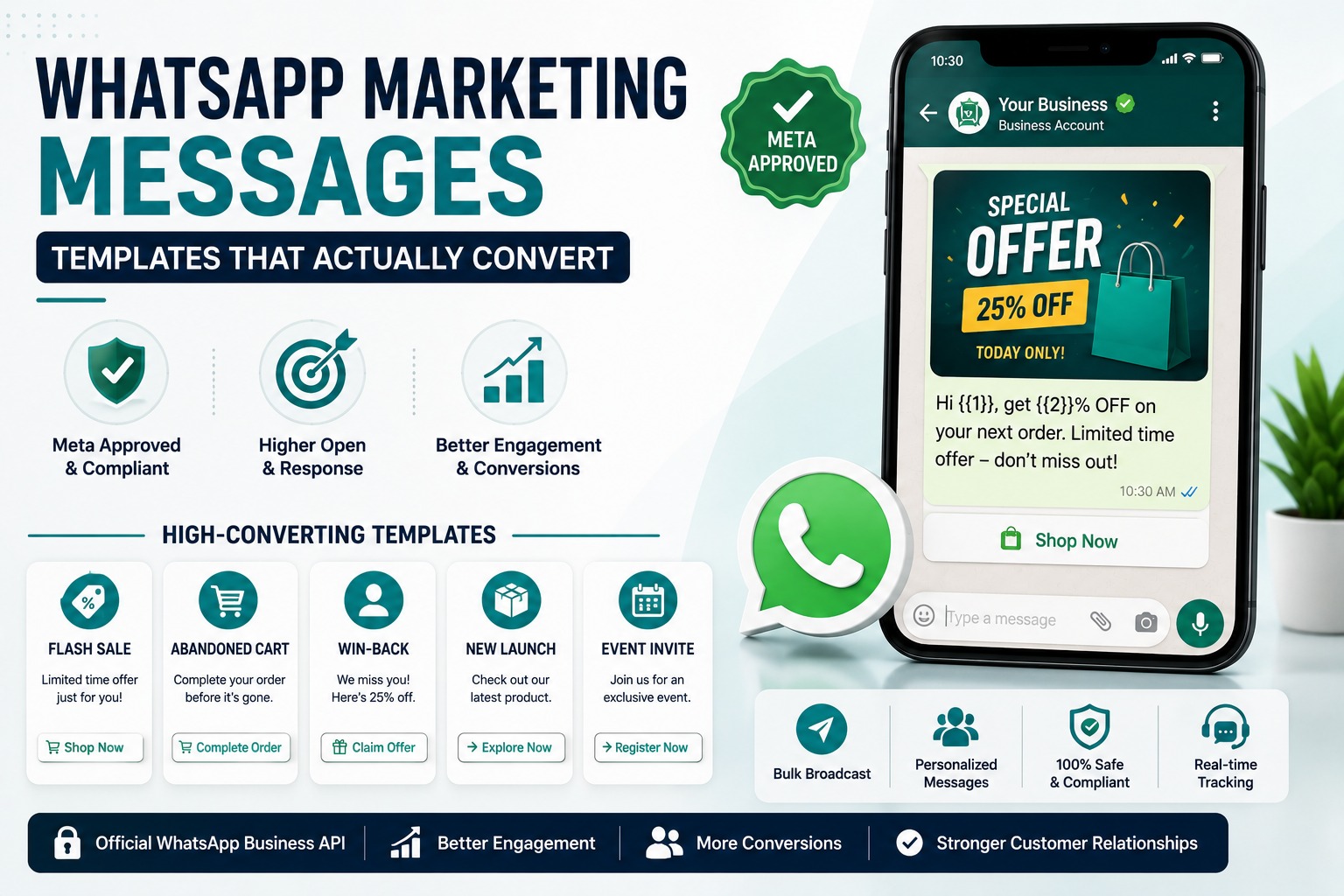
WhatsApp Marketing Messages
Templates That Actually Convert
Introduction
Most businesses' first WhatsApp marketing message reads like a text-message version of an email blast generic, promotional, and easy to ignore. Then it gets rejected by Meta, or worse, it gets approved, sent, and quietly tanks the account's quality rating because nobody wanted to receive it.
WhatsApp marketing messages work differently from every other channel. They have to be pre-approved by Meta under a specific template category, they have strict formatting rules, and they're judged not just on compliance but on how recipients actually respond to them. This guide breaks down exactly how WhatsApp marketing templates work, the ones that convert well across common business scenarios, and how to build a template that gets approved the first time and actually earns a reply.
Table of Contents
1. What Are WhatsApp Marketing Messages?
2. Marketing vs Utility vs Authentication Templates
3. Anatomy of a High-Converting Template
4. Templates That Actually Convert (By Use Case)
5. How to Get Templates Approved by Meta
6. Real Business Examples
7. Industry Use Cases
8. Best Practices for WhatsApp Marketing Messages
9. Common Mistakes to Avoid
10.Comparison Table
11.FAQs
12.Conclusion & CTA
What Are WhatsApp Marketing Messages?
A WhatsApp marketing message is a pre-approved template used to send promotional or commercial content to customers outside a live conversation things like offers, product launches, re-engagement campaigns, and newsletters. Unlike a casual reply within an active chat, any business-initiated message sent outside the 24-hour customer service window must go through Meta's template approval system before it can be delivered.
This exists to keep WhatsApp spam-free. Every marketing template a business submits is reviewed against Meta's Business Messaging Policy before it's approved for use, and once approved, it can be reused repeatedly as long as it continues to perform well with recipients.
Marketing vs Utility vs Authentication Templates
Meta requires every template to be submitted under one of three categories, and choosing the wrong one is one of the most common reasons templates get rejected or recategorized.
|
Category |
Purpose |
Example |
Typical Cost |
|
Marketing |
Promotions, offers, product launches, re-engagement, newsletters |
“25% off your next order today only” |
Highest per-conversation rate |
|
Utility |
Transactional, expected notifications |
Order confirmations, shipping updates, account alerts |
Lower than marketing |
|
Authentication |
One-time passwords and login verification only |
OTP codes, two-step verification |
Typically the lowest rate |
Meta actively evaluates template content against category guidelines, and if a template submitted as Utility is determined to actually be promotional, it will be reclassified as Marketing rather than automatically rejected which then affects pricing and template behavior going forward. Trying to disguise a promotional message as a utility notification to avoid marketing rates is a policy violation, not a workaround.
Anatomy of a High-Converting Template
A WhatsApp marketing template has a consistent structure, and understanding each part helps you write one that both gets approved and actually performs.
• Header (optional): A short text line (up to 60 characters) or a media header — image, video, or document. Media headers tend to noticeably increase response rates compared to text-only templates.
• Body: The core message, which can include dynamic variables (like a customer's name or order number) to personalize each send.
• Footer (optional): A short line of secondary text, often used for a disclaimer or brand tagline.
• Buttons: Quick-reply or call-to-action buttons (like “Shop Now” or “View Order”) that make it easy for recipients to act immediately, rather than typing a response.
The templates that convert well tend to share three traits: a clear single call to action, personalization through variables rather than generic phrasing, and a header or button that makes the next step obvious.
Templates That Actually Convert (By Use Case)
Flash Sale / Limited-Time Offer
Marketing Template Hi {{1}}, your favorite picks are on sale for the next 24 hours only. Get {{2}}% off {{3}} tap below before it ends. [Button: Shop Now]
Abandoned Cart Recovery
Marketing Template Hi {{1}}, you left {{2}} in your cart. Complete your order now and we'll hold your items tap below to finish checking out. [Button: Complete My Order]
Win-Back / Re-Engagement
Marketing Template We miss you, {{1}}! It's been a while since your last order. Here's {{2}}% off to welcome you back valid for the next 3 days. [Button: Claim Offer]
New Product Launch
Marketing Template Hi {{1}}, {{2}} just launched and we thought you'd want first access. Tap below to explore before it sells out. [Button: See What's New]
Event / Webinar Invitation
Marketing Template Hi {{1}}, you're invited to {{2}} on {{3}}. Reserve your spot seats are limited. [Button: Reserve My Spot]
How to Get Templates Approved by Meta
Most rejections come down to a handful of avoidable issues, not arbitrary enforcement.
• Choose the correct category upfront. If the message's objective is to drive a purchase or engagement action, it's Marketing not Utility, even if it also contains useful information.
• Keep variables specific and meaningful. Vague placeholders confuse both the review process and the recipient; each variable should have clear, predictable context.
• Avoid excessive promotional language or urgency stacking. Overly aggressive phrasing (multiple exclamation points, all-caps, stacked urgency claims) increases rejection risk and recipient annoyance.
• Match the button to the actual next step. A “Shop Now” button should lead somewhere directly relevant to the message content.
• Expect a review period, and if a template is rejected, the specific reason is typically communicated so you can revise and resubmit rather than guessing.
Real Business Examples
Marketing example: A fashion retailer uses a flash-sale marketing template with a media header showing the discounted collection, driving significantly higher click-through than their earlier text-only version.
Support example: A logistics company keeps shipping updates strictly under a Utility template, avoiding any promotional language, which keeps that template's approval and delivery consistent.
Sales example: A real estate agency uses a marketing template to announce a new property listing to a segmented list of buyers who match the price range, rather than sending it to their entire contact base.
Developer example: A development agency manages multiple clients' template libraries through SyncWABA's dashboard, tracking which templates are performing well versus which are seeing declining engagement, and retiring underperforming ones before they affect account quality.
Industry Use Cases
• E-commerce: Flash sales, abandoned cart recovery, and new arrival announcements drive the bulk of marketing template usage.
• Real Estate: New listing alerts and price-drop notifications sent to segmented buyer lists.
• Education: Course enrollment deadlines and webinar or open-day invitations.
• Healthcare: Health camp announcements and seasonal wellness campaign messages (kept clearly promotional, separate from appointment-related Utility templates).
• Financial Services: New product announcements, handled carefully given Commerce Policy restrictions on certain financial categories.
Best Practices for WhatsApp Marketing Messages
• Segment your audience instead of broadcasting the same offer to your entire contact list relevance improves both response rates and quality rating.
• Use media headers where relevant, since image and video headers tend to outperform plain text for marketing content.
• Personalize with variables beyond just the customer's name reference their actual order, product interest, or past behavior where possible.
• Monitor template performance and retire or revise templates that see declining engagement, rather than continuing to send them at the same volume.
• Respect frequency sending marketing templates too often to the same contacts increases blocks and reports, which affects the whole account, not just that campaign.
Common Mistakes to Avoid
• Submitting a promotional message under the Utility category to try to reduce cost or avoid marketing template scrutiny Meta will reclassify it, and repeated attempts can affect account standing.
• Writing vague, generic broadcast copy instead of personalizing with relevant variables and a clear single call to action.
• Overusing urgency language across every campaign, which reduces its effectiveness and can read as spammy to recipients.
• Sending the same template repeatedly to an unsegmented list regardless of relevance, which increases block and report rates over time.
• Ignoring template performance data and continuing to use templates that are clearly underperforming or declining in engagement.
Comparison Table: Template Types by Business Goal
|
Business Goal |
Best Template Type |
Key Element |
Category |
|
Drive immediate sales |
Flash sale / limited-time offer |
Urgency + clear discount |
Marketing |
|
Recover lost revenue |
Abandoned cart recovery |
Specific product reference |
Marketing |
|
Re-engage inactive customers |
Win-back offer |
Personalized incentive |
Marketing |
|
Announce new offerings |
Product launch template |
Media header + CTA button |
Marketing |
|
Confirm transactions |
Order/shipping update |
Clear, factual, no promotion |
Utility |
|
Verify identity |
OTP/login code |
Code + business name only |
Authentication |
Frequently Asked Questions
1. What are WhatsApp marketing messages?
WhatsApp marketing messages are pre-approved message templates used to send promotional or commercial content to customers, such as offers, product launches, and re-engagement campaigns. They must be submitted to Meta under the Marketing template category and approved before they can be sent to customers outside an active conversation.
2. How are WhatsApp marketing templates different from Utility templates?
Marketing templates are used for promotional or commercial content meant to drive a purchase or engagement action, while Utility templates are for expected, transactional notifications like order confirmations or shipping updates. Choosing the wrong category is a common cause of template rejection or recategorization by Meta.
3. Why was my WhatsApp marketing template rejected?
Common reasons include submitting promotional content under the wrong category, vague or unclear variable placeholders, and excessive or aggressive promotional language. Meta typically communicates the specific rejection reason, allowing you to revise the template's content or category and resubmit it for review.
4. Can I reuse an approved WhatsApp marketing template?
Yes. Once a template is approved, it can be used repeatedly for future campaigns, as long as it continues to comply with policy and doesn't get disabled due to poor recipient feedback like high block or report rates.
5. What makes a WhatsApp marketing message convert well?
High-converting templates tend to share a few traits: a single, clear call to action, personalization through dynamic variables rather than generic phrasing, and often a media header or button that makes the next step obvious. Segmenting the audience so the offer is actually relevant also significantly improves response rates.
6. Can I include images or videos in a WhatsApp marketing message?
Yes. Marketing templates support media headers images, videos, or documents — in addition to text, and media headers generally increase response rates compared to plain text-only templates.
7. How much do WhatsApp marketing messages cost?
Marketing templates are typically priced at the highest per-conversation rate among the three template categories, since they cover promotional and commercial content. Exact rates vary by country and are set by Meta, with Utility and Authentication templates generally priced lower.
8. How often can I send WhatsApp marketing messages to the same customer?
There's no fixed universal number, but sending marketing templates too frequently to the same contacts increases the likelihood of blocks and spam reports, which can affect your account's quality rating. It's best to space out promotional sends and prioritize relevance over frequency.
9. Can I disguise a promotional message as a Utility template to save on cost?
No. Meta evaluates template content against category guidelines regardless of which category you select, and a Utility submission that's actually promotional will be reclassified as Marketing. Attempting this repeatedly can affect your account's standing beyond just that template.
10. What variables can I use in a WhatsApp marketing template?
You can include dynamic variables like the customer's name, a specific product, a discount percentage, or an order reference, which personalize each message sent from the same approved template. Clear, specific variables perform better than vague placeholders, both for approval and recipient response.
11. How long does WhatsApp template approval take?
Meta doesn't publish a fixed universal timeline, and review times can vary. Submitting a clear, correctly categorized template with well-defined variables the first time generally leads to a smoother approval process than templates that require revision after rejection.
12. Do WhatsApp marketing templates work for every industry?
Yes, though the most effective use cases vary by industry e-commerce brands lean on flash sales and cart recovery, real estate uses new listing alerts, and education uses enrollment deadlines and event invitations. The template structure stays the same; the content and offer change based on what's actually relevant to that audience.
Conclusion
WhatsApp marketing messages convert when they respect the format Meta expects and the attention recipients are giving them a clear offer, real personalization, and a next step that's one tap away. The businesses getting strong results from WhatsApp marketing aren't sending more messages than everyone else; they're sending fewer, better-targeted ones with templates built around a specific customer action, and retiring anything that stops performing.
Building, testing, and managing templates like this at scale is exactly what SyncWABA's Campaign Manager is built for from template creation to segmentation to performance tracking, all in one place.
Ready to send WhatsApp marketing messages that actually convert? Start your free trial with SyncWABA or book a demo today.
Tags:
Ready to Get Started with WhatsApp Business API?
Join 1,000+ businesses using SyncWABA to grow with WhatsApp. Start free today!