WhatsApp Business API for Manufacturing Companies: 2026 Guide
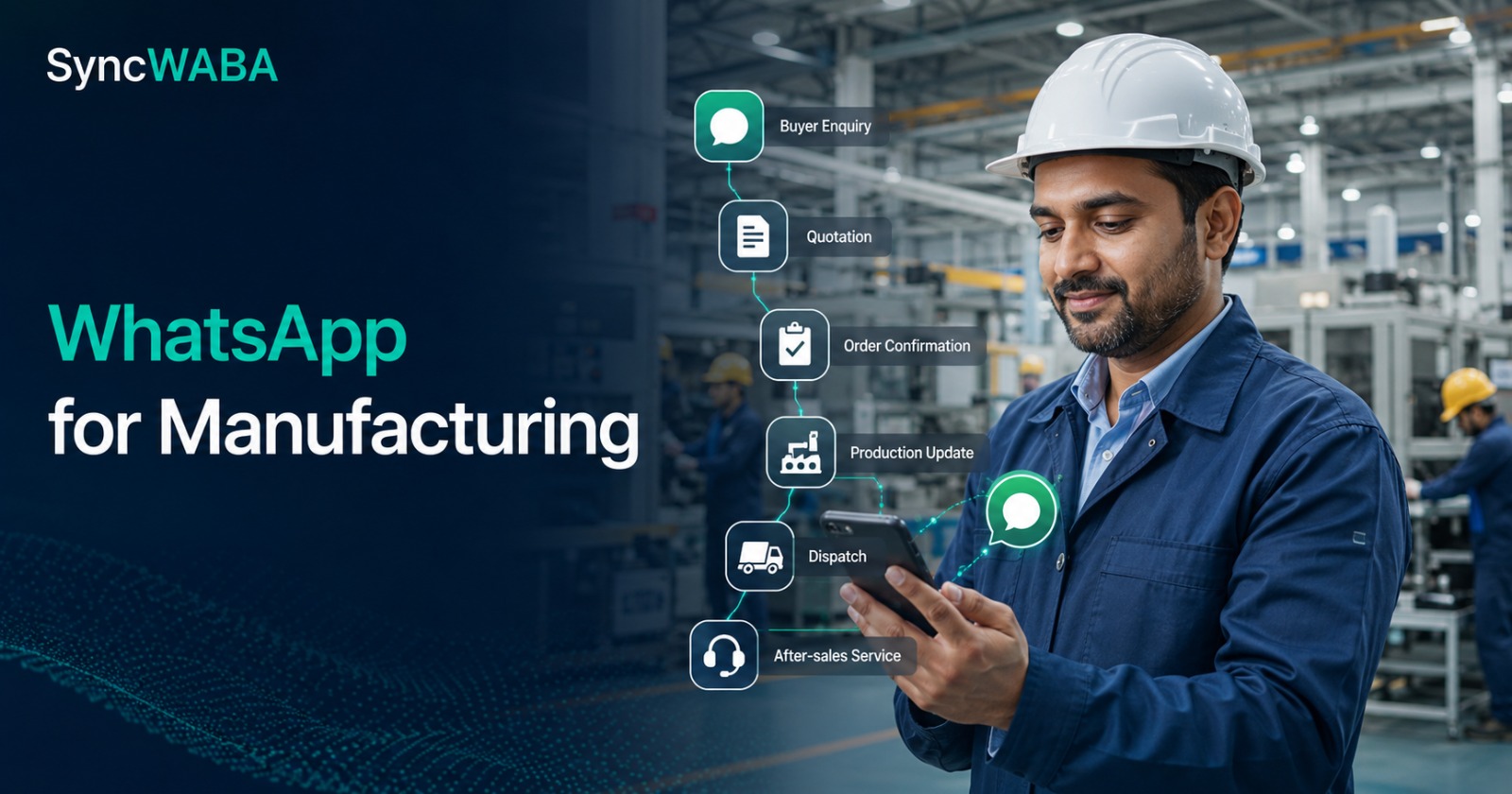
WhatsApp Business API for Manufacturing Companies in India
Use Cases, Workflows, Integration and ROI Guide for 2026
Indian manufacturers already use WhatsApp every day. A buyer sends a drawing. A dealer asks for stock. A sales executive shares a quotation. The dispatch team sends a vehicle number. A customer requests an engineer. The channel is familiar, fast and convenient—but the process is often fragmented across personal phones, informal groups and spreadsheets that nobody updates consistently.
That is the real problem. WhatsApp itself is not the bottleneck. The bottleneck is using a high-volume business process as if it were a collection of private chats.
The WhatsApp Business API for manufacturing companies turns those disconnected conversations into structured workflows. It can connect enquiries, quotation follow-ups, dealer communication, order updates, dispatch notifications, payment reminders and after-sales support with a CRM, ERP, Google Sheet or internal application. A shared team inbox keeps ownership visible, while automation sends the right update when a business event occurs.
This guide explains how Indian manufacturers can design that system responsibly. It covers practical workflows, message categories, integration architecture, sample templates, compliance, cost planning, implementation steps and ROI measurement. It also explains where SyncWABA fits when a manufacturer needs campaigns, automation, CRM workflows, multiple agents, WhatsApp Flows, analytics and API integrations in one platform.
Quick Answer: How Can Manufacturers Use WhatsApp Business API?
Manufacturers can use the WhatsApp Business Platform to automate and manage business messaging at scale. Common applications include:
· Capturing website, IndiaMART, TradeIndia, exhibition and referral enquiries
· Qualifying RFQs before a sales engineer spends time on them
· Sharing quotation acknowledgements and structured follow-ups
· Updating dealers about price lists, schemes and product availability
· Confirming orders and expected dispatch schedules
· Sending production, inspection and dispatch milestones
· Sharing invoices, e-way bill references and logistics details
· Sending payment-due reminders linked with accounts data
· Logging warranty, spare-parts and field-service requests
· Routing conversations to sales, service, accounts or dispatch teams
· Recording delivery, reply and click events against the customer record
· Triggering messages from a CRM, ERP, Google Sheet or custom software
The API is not a replacement for an ERP or CRM. It is the communication layer that connects business events to the people who need to act on them. The strongest implementation therefore starts with process design and system ownership—not with a list of messages to broadcast.
Why Manufacturing Communication Breaks as the Business Grows
A small manufacturer can manage customer communication from one phone because the number of active conversations is limited. Growth changes the operating model. More products, territories, dealers, quotations, orders, shipments and service requests create more hand-offs between people.
Consider a Faridabad-based industrial equipment manufacturer. A buyer submits an enquiry through the website. Marketing forwards it to a sales coordinator. The coordinator sends a catalogue on WhatsApp. A technical salesperson prepares the quotation. Accounts confirms the credit terms. Production shares an estimated completion date. Dispatch books the vehicle. Service handles installation.
If every hand-off happens through separate calls and personal chats, several risks appear:
· The first response depends on who is available
· Customer history remains on an employee's phone
· Two people may send conflicting updates
· Quotations are sent but not followed up systematically
· Dealer requests are mixed with direct-customer enquiries
· Dispatch information is copied manually and may contain errors
· Management cannot see pending conversations or response times
· Service complaints are acknowledged but not converted into trackable tickets
· Opt-out and consent records are difficult to manage
· Employees leaving the company take valuable context with them
WhatsApp automation is valuable because it creates a controlled bridge between the customer conversation and the underlying process. Every automated message should correspond to a clear event, owner and next action.
WhatsApp Business App vs API for a Manufacturer
The WhatsApp Business App remains useful for an owner-led micro-business with low message volume and one or two people handling communication. It becomes limiting when the company needs system integration, team accountability and automated messaging.
|
Capability |
Business App |
WhatsApp Business API with a platform |
|
Best fit |
Small, owner-managed communication |
Growing teams and structured operations |
|
Team handling |
Limited app-based access |
Shared inbox with roles and routing |
|
CRM or ERP integration |
Mostly manual |
API and webhook-based integration |
|
Event-triggered updates |
Basic app automation |
Workflow automation from business events |
|
Message templates |
Limited app workflow |
Approved templates for structured outbound messaging |
|
Campaign segmentation |
Basic lists and broadcasts |
Filters, tags, attributes and campaign tools |
|
Reporting |
Limited |
Delivery, failure, response and campaign analytics |
|
Ownership visibility |
Depends on manual discipline |
Agent assignment and conversation status |
|
Scale |
Suitable for small volumes |
Designed for scalable business messaging |
The decision should not be based only on company size. A 20-person component manufacturer processing hundreds of RFQs may need the API sooner than a larger factory with only a few strategic customers. Message volume, number of handlers, integration needs and the cost of missed follow-ups are better decision criteria.
The Manufacturing Customer Journey to Automate
A practical design maps messages to the complete commercial and service journey.
|
Journey stage |
Useful WhatsApp workflow |
Typical business owner |
|
Lead capture |
Instant acknowledgement and qualification |
Marketing or inside sales |
|
RFQ |
Collect product, quantity, location and timeline |
Sales coordinator |
|
Technical evaluation |
Request drawing, specification or application details |
Sales engineer |
|
Quotation |
Confirm quotation sent and schedule follow-up |
Sales |
|
Negotiation |
Route pricing or technical questions |
Sales manager |
|
Order confirmation |
Confirm PO receipt and commercial terms |
Order processing |
|
Production |
Share approved milestone updates |
Production planning |
|
Quality |
Notify inspection or documentation readiness |
Quality team |
|
Dispatch |
Send vehicle, transporter and tracking details |
Logistics |
|
Payment |
Send invoice and due-date reminders |
Accounts receivable |
|
Installation |
Schedule engineer or commissioning visit |
Service |
|
After-sales |
Log complaint, warranty or spare-parts request |
Support team |
|
Reorder |
Remind eligible customers based on lifecycle |
Sales or CRM team |
Not every stage needs an automated message. Automation should reduce uncertainty or enable action. A customer does not need five separate notifications when one clear message can communicate the same result.
1. Capture and Qualify Buyer Enquiries
Manufacturing leads arrive from many sources: website forms, click-to-WhatsApp ads, trade portals, exhibitions, referrals, dealer networks and outbound campaigns. The first automation should acknowledge the enquiry immediately and collect the minimum information required for qualification.
For an industrial pump manufacturer, the initial questions may be application, flow rate, pressure, material and delivery location. For a packaging unit, they may be product dimensions, quantity, print requirements and monthly consumption. For an equipment rental company, the essential details may be machine type, site location, duration and required start date.
A WhatsApp Flow or structured chatbot can collect these answers in a guided interaction. The response can create or update a CRM lead, apply a product tag and assign the enquiry to the correct sales queue. The customer receives a clear acknowledgement rather than waiting for someone to notice a missed call.
Good qualification automation does not try to replace the sales engineer. It removes basic back-and-forth so the engineer enters the conversation with context.
2. Automate RFQ and Quotation Follow-Up
Manufacturers lose opportunities after the quotation, not only before it. A quotation may be technically correct and commercially competitive, yet remain unopened or unresolved because nobody follows up at the right time.
A structured quotation workflow can include:
1. Acknowledgement when the RFQ is received
2. Internal task for technical or costing review
3. Confirmation when the quotation is sent
4. Follow-up after an appropriate interval
5. Routing when the buyer requests a revision
6. Escalation when a high-value quotation has no activity
7. Closure reason when the opportunity is won, lost or postponed
The follow-up should add value. Instead of repeatedly asking “Any update?”, ask whether the buyer needs a revised quantity, compliance document, delivery commitment or technical discussion. The workflow should stop automatically when the lead replies, converts, opts out or is marked closed.
3. Organise Dealer and Distributor Communication
Dealer networks often depend on regional WhatsApp groups and individual sales managers. Groups are useful for informal coordination but weak for segmentation, consent, personalization and performance tracking.
With an API-based platform, a manufacturer can maintain dealer attributes such as territory, product line, language, tier, active status and last order date. Communication can then be targeted instead of sent to everyone.
Examples include:
· New price-list availability
· Product-launch information
· Stock or back-order updates
· Dealer training invitations
· Scheme eligibility
· Warranty process changes
· Sales collateral and specification sheets
· Territory-specific event announcements
· Reorder reminders based on previous purchases
Marketing content should be sent only to recipients who have opted in and should provide a clear opt-out path. Transactional updates should remain factual and connected to an existing order or request.
4. Send Order and Production Milestones
Once a purchase order is received, the buyer wants predictability. Repeated calls asking for status consume time for both the customer and the manufacturer.
An ERP or order-management system can trigger WhatsApp updates when approved milestones change, for example:
· Purchase order received
· Drawing approval pending
· Material received
· Production scheduled
· Manufacturing completed
· Inspection ready
· Dispatch planned
The customer should not see every internal movement. Select milestones that materially affect expectations. If the production date changes, the update should state the revised expectation and provide a route to contact the responsible team.
For customised products, an interactive message can help the customer approve a drawing, select a visit slot or request a call. Important technical approvals should still be recorded in the formal system of record; WhatsApp can make the action faster without becoming the only evidence repository.
5. Automate Dispatch and Delivery Updates
Dispatch communication is one of the most practical utility workflows for manufacturing companies. A trigger can send the customer or dealer:
· Order or invoice reference
· Dispatch date
· Transporter name
· Vehicle number
· Docket or tracking reference
· Expected arrival date
· Link to relevant documents
· Contact route for delivery issues
The data should come from the dispatch or ERP record rather than manual copy-paste. This reduces typing errors and prevents multiple employees from sending different information.
For illustration, a Pune-based hydraulic equipment company could trigger the dispatch message when the logistics team changes an order status from “Ready” to “Dispatched”. The webhook sends the approved fields to SyncWABA, the template is delivered, and the message ID and delivery status are written back against the order.
6. Improve Payment Collection Without Damaging Relationships
Accounts teams often spend hours calling customers for overdue payments. A well-designed reminder sequence can improve consistency while keeping the tone professional.
A payment workflow may include:
· Invoice issued
· Reminder before the due date
· Reminder on the due date
· First overdue reminder
· Escalation to the account owner
· Stop condition when payment is recorded
Messages should show only the information necessary for the customer to identify the transaction. Avoid requesting or exposing sensitive financial identifiers in chat. Provide an official contact route for disputes and stop reminders immediately when the ERP or accounting system records payment.
Segmentation matters. A strategic dealer with an agreed credit arrangement should not receive the same sequence as a one-time customer. Approval rules, grace periods and account ownership should be part of the workflow logic.
7. Create a Trackable After-Sales and Service System
Industrial customers remember how quickly a supplier responds when a machine stops. A service automation can acknowledge the request, collect structured information and route it to the appropriate team.
A WhatsApp Flow can ask for:
· Product or machine model
· Serial number
· Site location
· Problem category
· Urgency
· Photo, video or document
· Preferred contact time
The system can create a ticket, assign a service coordinator and send a reference number. Later updates can confirm engineer assignment, visit timing, parts requirement and ticket closure.
Automation should not promise a resolution time that operations cannot meet. Use service-level commitments that the company has approved, and give customers an escalation path for critical incidents.
8. Manage Spare Parts, Warranty and Reorder Journeys
Spare-parts enquiries are often delayed because the customer cannot identify the correct component. A guided workflow can request the machine model, serial number, part photo and delivery location before routing the enquiry.
For consumables or products with predictable replacement cycles, the CRM can trigger an eligible reorder reminder. This should be based on a real customer relationship and the appropriate consent—not a generic promotional blast.
Warranty communication can include claim acknowledgement, required documents, inspection status and decision updates. Keep internal notes and evidence in the service or ERP system; use WhatsApp as the customer-facing communication channel.
Sample WhatsApp Templates for Manufacturers
The following examples are starting points. Template category depends on the message purpose and current Meta guidelines. Remove promotional content from utility messages and submit final templates through the applicable approval process.
RFQ acknowledgement
Hello {{1}}, we have received your enquiry for {{2}}. Reference: {{3}}. Our team will review the requirement and update you by {{4}}. Reply here if you need to add a specification or drawing.
Quotation sent
Hello {{1}}, quotation {{2}} for {{3}} has been shared through the agreed channel. Please reply if you need a revised quantity, delivery schedule or technical discussion.
Order confirmation
Thank you, {{1}}. We have registered purchase order {{2}} for {{3}}. The current planned completion date is {{4}}. We will notify you if an approved milestone changes.
Production milestone
Update for order {{1}}: manufacturing has reached {{2}}. The current expected dispatch date is {{3}}. For assistance, reply to this message.
Dispatch notification
Order {{1}} was dispatched on {{2}} through {{3}}. Vehicle or tracking reference: {{4}}. Expected delivery: {{5}}. Please reply if the delivery location or contact has changed.
Payment reminder
Hello {{1}}, this is a reminder that invoice {{2}} for ₹{{3}} is due on {{4}}. If payment is already completed, please ignore this message or share the transaction reference through your authorised channel.
Service-ticket acknowledgement
Your service request {{1}} for {{2}} has been logged. Current status: {{3}}. Our coordinator will contact you by {{4}}. Reply here to add a photo, video or site detail.
Dealer training invitation
Hello {{1}}, you are invited to our {{2}} product training on {{3}} at {{4}}. Confirm your interest using the button below. You can opt out of future training announcements at any time.
How the Integration Architecture Works
A reliable manufacturing setup normally contains four layers:
1. System of record: ERP, CRM, order system, service desk or an approved Google Sheet
2. Business logic: Rules deciding when a message should trigger and which data can be used
3. Messaging platform: SyncWABA and the official WhatsApp Business Platform
4. Response loop: Webhooks, agent replies, status updates and analytics written back to the relevant record
For example, when an ERP marks an invoice as due in three days, the integration checks consent, account status and reminder rules. It sends an approved message through the API and stores the message ID. Delivery, failure, read and reply events return through webhooks. A reply can assign the conversation to accounts or create a follow-up task.
This architecture prevents WhatsApp from becoming another isolated inbox. It also makes debugging easier because the company can see which system triggered the message, what data was used and what happened after delivery.
Data fields worth standardising
Before integration, define consistent fields such as:
· Customer or dealer ID
· Company name
· Contact name and role
· Mobile number with country code
· Consent source, category and date
· Territory and preferred language
· Product family
· Lead, quotation, order or ticket reference
· Assigned owner
· Current status
· Last message date
· Opt-out status
Avoid placing confidential design files, financial credentials or unnecessary personal data in message variables. Give users secure links or controlled document access when the material is sensitive.
Compliance and Message Quality: Non-Negotiable Rules
The official WhatsApp Business Messaging Policy states that a business may contact people only when it has their mobile number and the required opt-in permission. Recipients should expect the types of messages they receive, and businesses should provide clear opt-out instructions and honour those requests.
When a user messages a business, a 24-hour customer service window opens. Within that window, the business can respond without an approved template. Outside the window, business-initiated communication must use an approved message template under the applicable rules.
Manufacturers should build the following controls:
· Store when, where and why the recipient opted in
· Separate service updates from promotional communication
· Let dealers and customers choose relevant categories where practical
· Suppress opted-out recipients automatically
· Use approved templates outside the customer service window
· Avoid uploading purchased or scraped lists
· Monitor blocks, complaints, failures and engagement quality
· Limit access by role and remove access when employees leave
· Define a retention policy for exported contact and message data
· Review policies before major campaigns or workflow changes
An existing commercial relationship does not justify sending every kind of message. A customer expecting a dispatch update may not expect unrelated promotional offers. Set that expectation clearly.
Understanding Message Categories and Cost
As checked on 23 August 2026, the official WhatsApp Business Platform pricing page describes per-message pricing based on the recipient market and message category. The four categories are marketing, utility, authentication and service. Meta states that charges apply when a message is delivered, not merely sent.
For manufacturers:
· Marketing can include product launches, dealer schemes, cross-sell campaigns and re-engagement
· Utility can include order, payment, production, dispatch and service updates connected to a user action or request
· Authentication supports one-time passwords and identity verification
· Service covers responses to incoming customer enquiries inside the applicable customer-service window
The total monthly budget can include Meta message charges, the platform subscription, extra agents or flows, and any custom integration or implementation work. Use the live Meta and SyncWABA pricing pages when building the budget because rules and rates can change.
A Practical ROI Model for Manufacturing Automation
Do not evaluate the project only by cost per message. Measure the business outcome that the workflow is designed to improve.
Useful metrics include:
· Median first-response time for new RFQs
· Percentage of enquiries with complete qualification data
· Quotation follow-up completion rate
· Quote-to-order conversion rate
· Number of order-status calls avoided
· Dispatch notification errors
· Average collection delay
· Service acknowledgement time
· First-time routing accuracy
· Agent conversations handled per day
· Opt-out and complaint rate
· Revenue from reactivated dealers or repeat orders
The basic framework is:
ROI = (measurable financial benefit - total automation cost) / total automation cost × 100
Illustrative example: industrial component manufacturer
Assume a manufacturer receives 300 qualified enquiries per month. Manual response and inconsistent follow-up produce a 6% order conversion rate, or 18 orders. After implementing immediate acknowledgement, structured qualification and scheduled follow-ups, conversion improves to 8%, producing 24 orders.
If the average contribution per additional order is ₹12,000, six additional orders represent ₹72,000 in incremental monthly contribution. If the complete WhatsApp automation, messaging and operating cost is ₹12,000 for that month, the simplified ROI is:
(₹72,000 - ₹12,000) / ₹12,000 × 100 = 500%
This is an illustrative model, not a promised result. The manufacturer should use its own baseline, contribution margin, lead quality and conversion data.
Illustrative example: service workload reduction
Suppose a machinery company receives 600 monthly status calls and each call consumes an average of five employee minutes. Automated production and dispatch updates eliminate 240 calls.
That saves 1,200 minutes, or 20 staff hours. If the fully loaded operational value of that time is ₹500 per hour, the monthly time value is ₹10,000. The company may also improve customer experience, but it should count only benefits it can measure consistently.
A 30-Day Implementation Plan
Week 1: Map the process
Choose one high-value workflow. Document its trigger, data source, recipients, message purpose, owner, exception path and success metric. Audit existing WhatsApp numbers and decide which business assets and teams will own the setup.
Week 2: Prepare data and templates
Clean contact data, define consent fields, standardise statuses and prepare template drafts. Remove unnecessary promotional language from utility updates. Decide which fields will be inserted into messages and which information should stay behind a secure link.
Week 3: Build and test
Connect the selected CRM, ERP, Sheet or application. Test valid, missing and incorrect data. Confirm that replies route correctly, opt-outs suppress future sends and failed messages create a visible exception.
Week 4: Pilot and measure
Launch with one product line, territory, dealer group or internal team. Review delivery, response, failure and operational metrics. Collect feedback from agents and customers, fix gaps and only then expand.
Common Mistakes to Avoid
Automating a broken process
If sales and dispatch do not agree on status ownership, automation will send inconsistent information faster. Define the process first.
Using personal numbers as the system of record
Personal chats create continuity and compliance risks. Business history should be accessible through approved systems and permissions.
Sending too many milestones
Every internal status is not customer-relevant. Send updates that reduce uncertainty or request an action.
Treating every contact as a marketing audience
Dealers, customers, suppliers and prospects have different expectations. Segment them and respect the scope of consent.
Forgetting stop conditions
Quotation and payment reminders must stop when the lead replies, order closes, payment arrives or the user opts out.
Measuring only delivery
A delivered message is not automatically useful. Connect messaging metrics with quotations, orders, collections, service tickets and customer outcomes.
Launching without exception handling
Plan for missing mobile numbers, invalid parameters, rejected templates, delayed webhooks, duplicate triggers and employee absence.
Why SyncWABA Fits Manufacturing Workflows
SyncWABA combines official WhatsApp Business Platform connectivity with the operational tools a manufacturing team needs to turn messages into a process. Current platform capabilities displayed on SyncWABA include:
· Direct Meta Cloud API integration
· Real-time message status tracking and webhooks
· Rich media and document handling
· Campaign scheduling, filtering and template synchronisation
· Automated failed-message resend capabilities
· Visual chatbot and WhatsApp Flow design
· Conditional routing and automated follow-up sequences
· Integrated CRM contact management
· Shared team inbox with permissions
· Multi-WABA support
· API integration with external systems
· Campaign and interaction analytics
A manufacturer can start with one workflow—such as RFQ qualification or dispatch updates—and expand after measuring performance. The Free Forever option can support exploration, while Start, Scale and Enterprise plans add increasing levels of automation, team, analytics and custom-integration capability. Confirm current inclusions on the live pricing page before selecting a plan.
Start Free with SyncWABA to test the workflow, or Book a Demo for a manufacturing use-case review involving CRM, ERP, dealer, dispatch or service integration.
Frequently Asked Questions
Is WhatsApp Business API useful for small manufacturers?
Yes. A small manufacturer can benefit when communication volume or process complexity is high enough to create missed follow-ups, slow responses or poor visibility. Start with one measurable workflow rather than automating everything.
Can WhatsApp connect with our ERP?
Yes, when the ERP provides an API, webhook, database integration or another controlled connection method. SyncWABA can act as the messaging layer, while the ERP remains the system of record. Custom mapping and security review may be required.
Can we connect WhatsApp with Google Sheets?
Yes. Google Sheets can be useful for a controlled pilot, reminder queue or lightweight workflow. For high-volume or business-critical operations, add validation, permissions, audit logs, duplicate prevention and error handling.
Can dealers place orders on WhatsApp?
A guided Flow or chatbot can collect order intent and required fields. The final order should be validated against product, price, credit, stock and approval rules before creation in the ERP. WhatsApp should not bypass commercial controls.
Can we send quotations and catalogues as documents?
The platform supports rich media and document handling. Use approved workflows, correct recipient consent and secure links where documents contain sensitive commercial or technical information.
Do production and dispatch updates count as utility messages?
They may qualify as utility when they are non-promotional and tied to a specific order or user request. Final classification depends on the message purpose and current Meta category guidelines. Review the final template before submission.
Can we message every contact collected from IndiaMART or an exhibition?
Do not assume that possession of a phone number equals WhatsApp opt-in. The official policy requires the recipient's number and the appropriate permission. Capture consent clearly and store the source, scope and date.
What happens when a customer replies?
The conversation can be routed to an agent, bot or team queue. The official pricing page states that a user message opens a 24-hour customer service window, which resets with each new user message under the current rules.
How long does implementation take?
A simple pilot may be designed and tested in a few weeks. ERP integration, multi-team routing, complex approvals, data cleaning and custom security requirements can extend the timeline. Scope one workflow before estimating.
Which workflow should a manufacturer automate first?
Choose the workflow with a high volume, clear trigger, reliable data and measurable business pain. RFQ acknowledgement, quotation follow-up, dispatch updates and service-ticket acknowledgement are strong starting points.
How should we measure success?
Measure response time, qualified enquiry rate, follow-up completion, conversion, status calls avoided, collection delay, service acknowledgement time, agent workload and opt-out rate. Compare results with a documented baseline.
Final Thoughts
WhatsApp is already part of manufacturing communication in India. The opportunity is to stop treating it as an informal collection of private conversations and start designing it as a governed business channel.
The best manufacturing automation does three things well: it sends relevant information at the right business event, keeps ownership visible to the team and writes outcomes back to the system of record. It does not replace sales judgment, engineering expertise or customer relationships. It gives those people a faster and more reliable operating system for communication.
Begin with one workflow, one team and one metric. Build consent and exception handling into the design. Integrate only the data required for the customer action. Then expand after the pilot proves that response time, conversion, collection or service performance has improved.
Ready to build a structured WhatsApp system for enquiries, dealers, orders, dispatch and after-sales?
Start Your Free Trial or Book a Manufacturing Automation Demo with SyncWABA.
Tags:
Ready to Get Started with WhatsApp Business API?
Join 1,000+ businesses using SyncWABA to grow with WhatsApp. Start free today!